Description
This Autocad For Engineering Drawings eBook from 3D-LABS references IS codes and explains each method with clear worked examples for practising engineers and students.
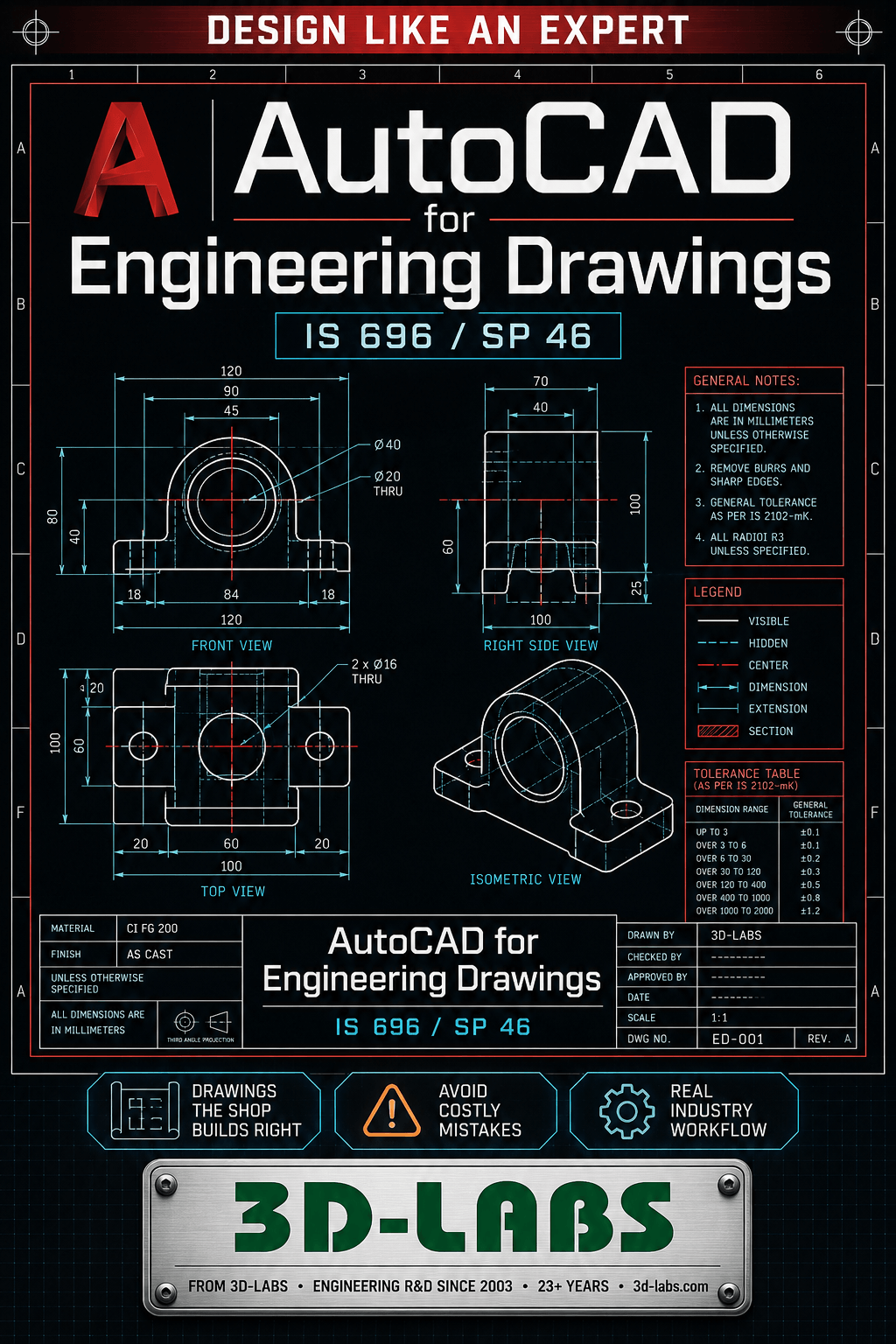
AutoCAD for Engineering Drawings — IS 696 / SP 46 covers AutoCAD 2024 drawing production following Indian Standards IS 696:1972 and SP 46:2003 — from IS-compliant template setup through first-angle projection, sectioning, dimensioning, surface finish symbols, tolerance annotation, and welding symbols. Written for mechanical and civil engineering draughtsmen in India.
What Indian drawing standards does this book cover?
IS 696:1972 comprehensively: first-angle projection (standard in India), line types and weights (visible lines 0.5 mm, dimension lines 0.25 mm, hidden lines 0.35 mm dashed), lettering sizes (3.5 mm for dimensions on A3, 5 mm for titles), section hatching 45 degrees at 3 mm spacing. SP 46:2003: limits and fits (H7/g6, H8/f7 hole-basis system), surface finish Ra in micrometres, and welding symbols per IS 813:1991.
What AutoCAD template setup is covered for IS-compliant drawings?
AutoCAD template setup: units in mm, sheet size limits for A0 (1189×841), A1 (841×594), A2 (594×420), A3 (420×297), A4 (297×210). Layer names per IS 696 conventions: IS_VISIBLE, IS_HIDDEN, IS_DIMENSION, IS_CENTRE, IS_SECTION. Title block with drawing number, revision, scale, first-angle projection symbol, material, and drawing authority per BIS recommendations.
What limits and fits annotation is covered for IS practice?
Hole-basis system per SP 46:2003: H holes (fundamental deviation = 0), shaft codes (f, g, h, js, k, m, n), tolerance grades IT01 to IT18. Example annotation: 50H7/g6 — hole +0/+0.025 mm, shaft -0.009/-0.025 mm = clearance fit. Surface finish Ra target by machining process (e.g. turning Ra 1.6-6.3 micrometre, grinding Ra 0.1-0.8 micrometre) annotated using ISO 1302 symbol set.
How do I access this book after purchase?
eBook PDF: Instant download via email and 3D-LABS dashboard. Paper Book: Printed and shipped to India.
What’s Included
An instant PDF download covering the core concepts, practical examples, and key references — ready to read on any device.
Related Products
- Revit for Indian Construction Practice
- AutoCAD Training Course
- Design and Drafting Basics of Storage Tank
Download the AutoCAD for Engineering Drawings — IS 696 / SP 46 e-book from 3D-LABS — instant PDF access, with methods explained per IS 696.
About AutoCAD for Engineering Drawings — IS 696 / SP 46
AutoCAD for Engineering Drawings — IS 696 / SP 46 is part of the 3D-LABS Design series — a focused e-book library for product designers, industrial designers, and design engineers. This title covers design thinking, human-centred design, prototyping methodology, and design-for-manufacturing principles, with worked examples and industry-current best practices drawn from real design projects.
Written by practising 3D-LABS engineers and reviewed by senior specialists, AutoCAD for Engineering Drawings — IS 696 / SP 46 is designed to move you from concept to competence quickly — not to be a comprehensive academic reference, but a working reference you actually use.
Who AutoCAD for Engineering Drawings — IS 696 / SP 46 is for
AutoCAD for Engineering Drawings — IS 696 / SP 46 is written for product designers, industrial designers, and design engineers. If you are:
- An early-career engineer wanting to accelerate your practical knowledge in design.
- An experienced practitioner looking for a compact reference on current practices.
- A student preparing for engineering exams, interviews, or your first professional role.
- A manager or team lead wanting to level-set your team on design fundamentals.
Then AutoCAD for Engineering Drawings — IS 696 / SP 46 will earn its price back in the first project or exam you apply it to.
What is included in your download
- The complete PDF e-book — DRM-free, fully searchable, print-friendly formatting.
- Worked examples — real-world calculations, drawings, or case studies interspersed through the text.
- Reference charts and tables — quick-lookup material you will return to on the job.
- Further reading recommendations — curated pointers to codes, standards, and complementary resources.
- Free updates — when we revise the book, you get the updated PDF at no extra cost. We notify you by email.
Pricing and delivery
AutoCAD for Engineering Drawings — IS 696 / SP 46 is priced at ₹2,500 (USD equivalent shown in cart). Delivery is instant — after payment, the download link is emailed to you and available in your account. No subscriptions, no hidden fees, no expiring access.
Payment methods: Cashfree (Indian customers) or PayPal International (customers outside India). Bulk licensing available for corporate training programmes and educational institutions — contact sales@3d-labs.com.
How to get the most out of AutoCAD for Engineering Drawings — IS 696 / SP 46
- Read the introduction and structure first — every book has a "how to use this book" section that maps chapters to the reader you are.
- Work through the examples with pen and paper — passive reading is 10% retention; working the calculation yourself is 70%+.
- Cross-reference with the 3D-LABS spreadsheet library — 680 Excel calculation tools that pair naturally with our e-books.
- Apply the concepts to a real project immediately — the book will pay for itself the first time you avoid a design error.
- Come back to the book after 6 months — with real project experience, you will read the same chapters differently.
Related titles and services
Readers of AutoCAD for Engineering Drawings — IS 696 / SP 46 typically also work with:
- Other titles in the Design book series — currently 5 titles.
- The Inventions & Product Development — for projects where you need experienced design engineers directly.
- Our 680 engineering calculation spreadsheets — Excel tools that complement the theory in this book.
- Our online training courses — instructor-led programmes on design topics.
Frequently asked questions
What format is AutoCAD for Engineering Drawings — IS 696 / SP 46 delivered in?
AutoCAD for Engineering Drawings — IS 696 / SP 46 is delivered as an instant-download PDF file. The PDF is DRM-free, works on any device (desktop, tablet, phone, e-reader), and is fully searchable. Print-friendly formatting so you can print for offline reading.
How is this different from a paper textbook?
This e-book is a focused, practical guide — targeting a specific engineering skill or knowledge area. Unlike a 600-page academic textbook, it moves quickly to real-world applications with worked examples, industry practices, and current code references. Priced accordingly.
Who wrote this book?
Books in the Design series are authored by 3D-LABS engineers and reviewed by senior specialists in the field. Every author has hands-on industry experience — this is not academic theory, it is applied practice from working engineers.
Can I use the material for teaching or training?
Purchase includes single-user rights. For classroom use, corporate training programmes, or bulk licensing, contact us at info@3d-labs.com — we offer institutional licensing and custom-branded editions for training programmes.
What if the content does not meet my expectations?
We offer a 7-day satisfaction guarantee. If AutoCAD for Engineering Drawings — IS 696 / SP 46 does not deliver the value you expected, email us within 7 days of purchase for a full refund. No questions asked — we would rather have satisfied customers than unhappy ones.
About 3D-LABS engineering e-books
AutoCAD for Engineering Drawings — IS 696 / SP 46 is one of 115 titles in the 3D-LABS e-book library — the largest collection of practitioner-authored engineering e-books available anywhere, spanning 14+ series from engineering fundamentals to future technology and urban air mobility. Every book is written and reviewed by 3D-LABS engineers who use the concepts daily on real client projects across the globe.
Browse the full e-book library, or explore other content options: 680 spreadsheets, 19 online courses, or our full engineering services.
Why buy from 3D-LABS
Published by a working engineering practice
Our titles are written and published by 3D-LABS, an engineering design practice working since 2003 for operators and EPC contractors across Asia, the Middle East, Africa and Australia.
- 2003Engineering since
- 12Countries delivered into
- 50+Named client organisations
- 14Design codes worked to
Codes our engineers design to
- ASME
- API
- AWWA
- TEMA
- PD 5500
- AISC
- IS 800
- EN
- IBR
Questions on anything in the book? Write to us — a working engineer answers, not a support desk.Design and detailing for Larsen & Toubro, Emerson, PetroFac, Qatar Petroleum, ADCO and Samsung Engineering since 2003.